The Facts About Phishing: Deceptive emails are a threat!
by Scott L Nelson, Stake Finance Specialist
What would you do if a suspicious stranger came up to you on the street and tried to lure you down a dark alley? You would probably sense danger and either run away or call for help.
But what if the stranger approached you through email? You might feel safer and click on the link or open the attachment. But it’s a trap.
In a phishing attack, cyber criminals use deceptive emails to “fish for” information and lure people into falling for scams. According to a recent article published by Forbes Magazine, Phishing attachs account for more than 80% of reported cecurity incidents. Adding to that statistic, Google has registered over 2 million phishing sites as of January of this year!
Phishing emails use a variety of technical tricks to steal information including:
- Malicious web links – This is when you’re asked to click on a link that takes you to an imposter website or to a site infected with malware.
- Malicious attachemnts – When you are urged to open an unexpected attachemnt that contains malware.
- Fraudulent Data-Entry Forms – When you are prompted to fill in sensitive information such as user IDs, passwords, credit card data, and phone numbers.
Many companies have suffered serious data breaches that exposed everything from business secrets to the confidential data of millions of people. These data breaches often start by tricking one person with a phishing email, giving the cyber criminals a foot in the door. Phishing can affect your personal life too. Whether at home or a work, falling for a phishing email can have serious long-term consequences.
Check out the tips below to see how you can play your part in keeping yourself and others safe from a phishing attack.
Tips for Family and Friends:
- Think before you click – You should never automatically trust any email message, especially if it sounds frightening or too good to be true.
- Be wary of unexpected requests for personal information – Never send account numbers, PINs, or login credentials through email – even if the requestor sounds urgent.
- Verify attachments before opening or downloading them – Even if an email seems to come from a company or person you trust, don’t open an unexpected attachment. To make sure the file is legitimate, contact the company or individual directly through the website or call a verified phone number. (Not the phone number listed in the phishy email.)
- Develop anti-phishing skills – Engaging with your organization’s security awareness training program is a great way to practice identifying the warning signs of a phish.
- Find out how to report a suspicious email – Your organization’s email platform could have a button to report a potential phish or you may need to forward it to s specific IT inbox. For personal phishing attempts delete the email and DO NOT click on any links or attachments. Many email services offer the one-click option to report it as SPAM.
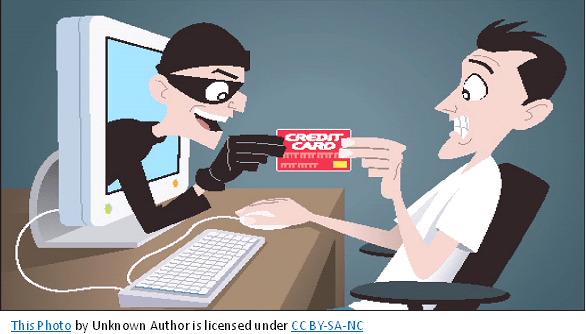
Consequences of Falling for a Phish
| At Work | In Your Personal Life |
| Loss of corporate fundsExposed personal information of customers and coworkersOutsiders accessing confidential communications, files, and systemsFiles becoming locked and inaccessibleDamage to employer’s reputation | Money stolen from your bank account(s)Fraudulent charges on credit cardsTax returns filed in your nameLoans and mortgages opened in your nameLost access to photos, videos, and filesFake social media posts made in your accounts |
Facts about Phishing provided by Proofpoint
November is cyber-security awareness month. Being self-reliant is also about being a wise steward. “O be wise, what can I say more?” Jacob 6:12.
 Self-Reliance